
Non-monetary allowance (benefit card Pluxee)
This allowance is available to employees who have been continuously employed at TBU for at least 1 year and whose total working hours amount to 1.0 of the standard weekly working hours (i.e., the sum of working hours from all employment relationships). The allowance amounts to 700 CZK per month. For more information—such as exceptions or the application process—please refer to the guidelines listed below:
Granting of Contributions from the Social Fund starting 1 July 2026
Important changes: It is now possible to use the contribution for a so-called DIP (Long-Term Investment Product), and starting July 1, 2026, the contribution will also be provided to employees on maternity or parental leave, upon fulfillment of the conditions specified in SR/31/2026.
- Rector’s Directive SR/31/2026 – starting 1 July 2026, it replaces Rector’s Directive SR/42/2024
- Form – Annex 1 – Application for a/an contribution/allowance paid from the Social Fund
- Form – Annex 2 – Application for a change in the type of a/an contribution/allowance paid from the Social Fund
Contact person
- The benefits contribution (Pluxee card) is administered by the HR Development—the contact person for all faculties or component parts:
-
- Ing. Tereza Vítková (U13/0139, e-mail: tvitkova@utb.cz)
How to proceed when applying for a/an allowance/contribution for the first time?
- Fill out the Application for a/an contribution/allowance paid from the Social Fund (Form – Annex 1).
- Submit the signed application to your contact person at the Rectorate, depending on the type of a/an contribution/allowance (see above).
- Your request must be verified by the HR Office, approved by your faculty or component part, and returned to the HR Office to be filed in your personnel file.
- Entitlement arises only upon submission of a complete application, starting from the first day of the month following its approval.
- The entitlement is first recorded on the payslip for the month worked in which the entitlement arose (e.g., if the entitlement arises on April 1, 2026, it will not be recorded until the April 2026 payslip, i.e., in May 2026).
How to change between contributions?
An employee is entitled to request a change between different types of contributions a maximum of once a year. The employee must submit a request for the change well in advance, but no later than the last day of February of the given year, and the change will take effect on April 1 of that calendar year.
How to apply:
- Fill out Application for a change in the type of a/an contribution/allowance (Form – Annex 2).
- Submit the signed application to your contact person at the Rectorate, depending on the type of a/an contribution/allowance (see above).
- Your request must be verified by the HR Office, approved by your faculty or component part, and returned to the HR Office to be filed in your personnel file.
- Entitlement arises only upon submission of a complete application, starting from the first day of the month following its approval.
- The entitlement is first recorded on the payslip for the month worked in which the entitlement arose (e.g., if the entitlement arises on April 1, 2027, it will not be recorded until the April 2027 payslip, i.e., in May 2027).

The Flexi benefit card from Pluxee, which replaced Sodexo Benefity on January 1, 2024, is a leisure card that gives you the freedom to choose a benefit tailored exactly to your preferences.
You can use the card to pay for goods and services in various leisure sectors—sports, health, culture, travel and recreation, or education—within the Czech Republic.
You can find the current list of partners and locations where you can redeem your credit without logging in at vyhledavac.pluxee.cz. If you create an online user account, you can find the list at www.pluxee.cz/prihlaseni (formerly www.sodexo.cz/prihlaseni).
Tomáš Baťa University in Zlín provides full-time employees who have been employed by UTB for more than one year with a monthly allowance of 500 CZK (through December 31, 2024). Starting on January 1, 2025, the allowance will automatically increase to 700 CZK. This amount (points) can be redeemed using a benefits card. Eligibility for redemption and the exact conditions for receiving the allowance are governed by Rector’s Directive SR/31/2026.
How to prepare the card for the first use?
You have met the requirements set forth in Rector’s Directive SR/31/2026 and have received a benefits card from the Human Resources Development Department.
- Card recharge: The card is automatically recharged based on your entitlement in accordance with Rector’s Directive SR/31/2026
- Card validity: indicated on the card
- Points expiration: 24 months*
*When making card transactions, the oldest credits in your account are automatically deducted. You can find information about the expiration date of your leisure credit in your account details or by emailing orlz@utb.cz.
Please keep all documentation received with the card in a safe place.
Since the card is anonymized and contains no identifying information other than the card number, the UTB name, and the UTB logo, we strongly recommend that you take a photo of the card number with your phone or write it down in a safe place.
First Payment and Setting the PIN on the Card
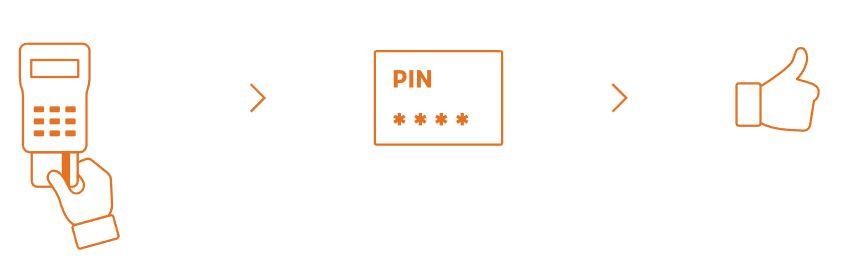
Your first transaction with a Flexi card (formerly Flexi Pass CARD) must always be a contact transaction—for example, when you pay with the card at a payment terminal in a pharmacy. During the transaction, you will choose your own four-digit PIN.
You must then enter your PIN for every contact payment and for contactless payments over 500 CZK.
 |
|
Personal Account Settings
Creating an online account is entirely optional; you can use the benefits card even without one. You can set up Pluxee Connect at www.pluxee.cz/prihlaseni (formerly www.sodexo.cz/prihlaseni).
1. Log in to your account.
On the website www.pluxee.cz/prihlaseni click “Log In” in the red “Pluxee Employee Account” section.
2. New User Registration.
If you would like to set up an online account, click “Registration” and follow the instructions included in the envelope with your card or available for download here.
3. Current Pluxee (formerly Sodexo) cardholders.
Did you previously have a Pluxee Personal Account (formerly Sodexo) that is no longer supported as of March 2024? If so, you can set up a Pluxee Connect account and transfer your original Pluxee account (Sodexo account) to it. If you do not want to set up a Pluxee Connect account, you can continue to use the card even without an online account.
Instructions for transferring your account to Pluxee Connect are available for download here.
Pluxee Mobile App
You can manage and use Pluxee benefits conveniently and easily from your mobile phone. To use the app, first create a Pluxee Connect account at ucet.pluxee.cz. The app for Pluxee card product users offers:
- Easy overview and management of benefit accounts and cards.
- Special offers and other perks all in one place.
- The latest news and information via Pluxee Stories.
- Search for partner locations nearby and get directions to selected places.
- Contactless payments with Flexi cards via the Pluxee Connect app on Android/Apple devices.
- Log in using a PIN or biometric data.
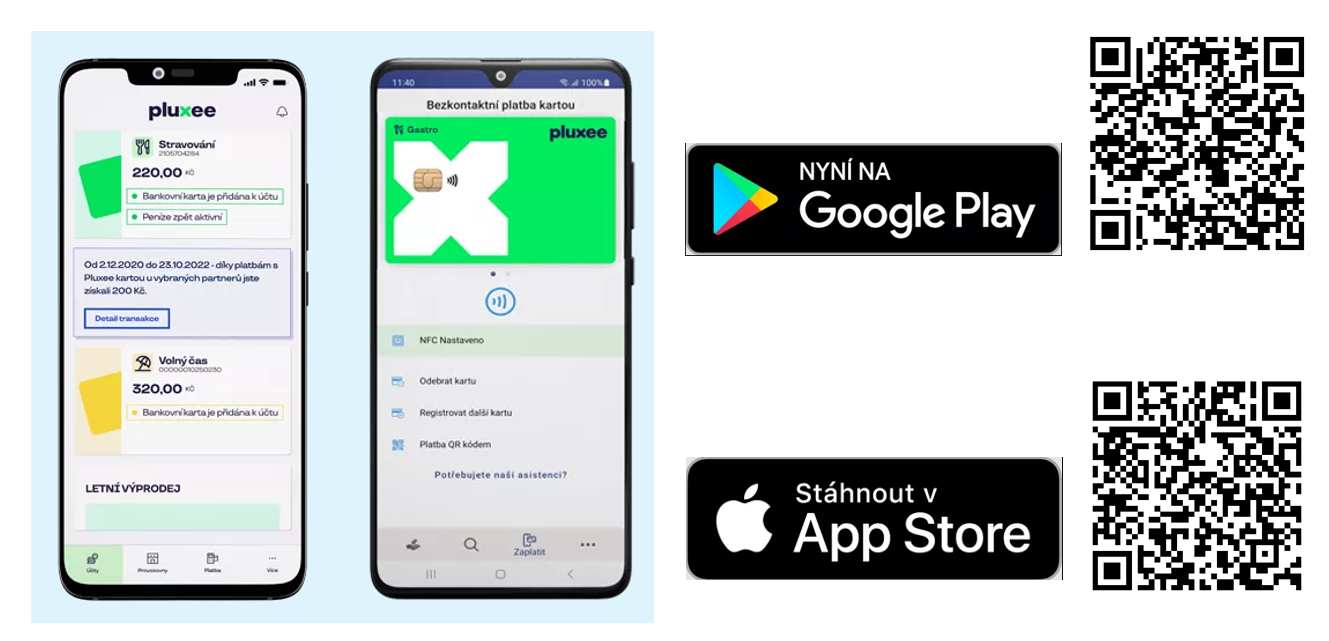
Download Links
Card Payments in the Online Store
You can only pay with a Flexi card at merchants that accept this payment method. You can find the current list of payment gateways in Pluxee Connect under the “Merchant Directory” section by selecting the “Payment Gateways” filter.
Selected online stores allow you to pay directly with your Flexi card. When placing an order, select “Pluxee” as your payment method and then enter your Pluxee Connect login name. Confirm the payment in Pluxee Connect, and the goods or services will be paid for immediately.
How to handle a lost, destroyed, or damaged card, or a forgotten PIN
Loss/Destruction/Damage to the Card
- You can block your card immediately to protect the funds in your account. However, you must know your card number.
- You can block the card yourself through Pluxee (Customer Service at +420 233 113 435 on weekdays from 8:00 a.m. to 5:00 p.m.), or if you have an online account set up in Pluxee Connect or the Pluxee mobile app.
- If you do not know your card number or have forgotten it, report the loss of your card to the HR Development (orlz@utb.cz).
- In all cases, please contact the HR Development (orlz@utb.cz), a new card will be ordered.
Forgotten Card PIN
- If you do not have an online account, please report the PIN issue to the HR Development (orlz@utb.cz).
- If you have Pluxee Connect set up, you can reset your PIN yourself in your online account at ucet.pluxee.cz (formerly www.sodexo-ucet.cz) or in the Pluxee mobile app.
- Next, when you make your next payment at the payment terminal (using a contact transaction, just like the first time), you’ll set a new PIN.
- To change your PIN, follow the same steps.
Provision of Contributions from the Social Fund until 30 June 2026
- Rector’s Directive SR/42/2024 – Rules Governing the Provision of Contributions/Allowances Paid from the Social Fund
- Form – Application for a/an contribution/allowance paid from the Social Fund
- Form – Application for a change in the type of a/an contribution/allowance paid from the Social Fund