
6. Device protection
Security tools also monitor the security of our devices. How do they work? And how can we avoid unnecessarily complicating their work?
Did it happen?
Kamile is 40 years old and works as a clerk in the public procurement department of an unnamed ministry. For a long time, she also performed work duties for her colleague, who was on sick leave. Because she couldn’t manage everything during working hours, she took her work home. She completed work tasks on her home computer. But her home computer was not as well cared for as her work computer, which is managed by the IT department. When a prompt for an update pops up, Kamila postpones it as long as she can. Updates bother her, they mean delays for her. Because she didn’t have a suitable program at home to create diagrams that she wanted to add to the tender documentation, she downloaded the program from the Internet. When she installed the program, the icons started to disappear from the desktop and the computer froze.
Security tools
Without even thinking about it, various tools monitor our security in the cyber world. They pay attention to technical matters that we, ordinary users, do not really understand. How many requests are leaving our device, how many requests are being received, whether a program has started unusual activity, etc. At work, these tools are governed by IT security policies. Someone takes care of setting up security tools for us so that they work as they should. That is why, as a rule, employee devices are better protected than our home devices. However, it is in our own interest to follow the basics of IT security policies at home as well.
Firewall
Imagine a castle and walls around it. The only way to get through the walls is through the main gate with a guard. The gate opens only to those who are checked by the guard. This is how a firewall works. Our device is a castle, a firewall is a wall with a gate and a guard. All requests that our device receives from the Internet are directed to the guard for control. The firewall therefore makes decisions for users that they would not understand and would not know what to do with. The firewall decides what we let into the device and what we let out to stay safe. It takes action based on given rules. It is therefore important not to turn off the firewall even on home devices. Users sometimes confuse a firewall with an antivirus program, but they do not do the same thing.
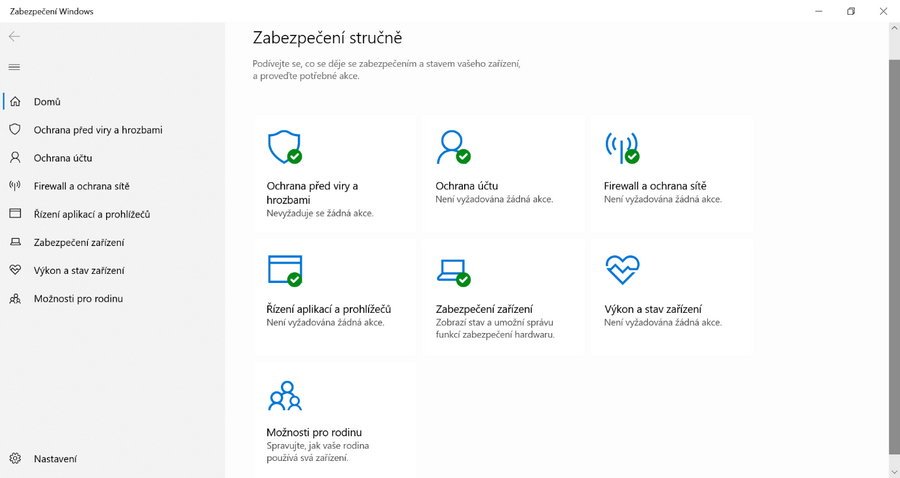
The illustration shows standard Windows security tools.
Antivirus program
If we stick to the castle analogy, antivirus programs are the inner guards who constantly patrol the castle rooms. When they find someone who doesn’t belong there, they capture them and lock them up. Antivirus programs have something like a library of viruses and other threats that they can defend us against. If the antivirus program determines that we are in danger, it looks in the library, reads the recommended course of action, and takes action. This is the main task of every antivirus program. Paid and free versions differ primarily in the range of functions, but the basics remain the same. In order for an antivirus program to know about the latest news in the world, it must have a perfectly updated library. You already know about updates.
Which antivirus program is the best?
This is an antivirus program with the brand “I’m up to date”. It’s not just an antivirus program. The average user has a hard time telling the difference between the individual programs. Some tend to trigger false alarms when nothing is happening. But isn’t that better than not triggering an alarm when something is happening? In this case, more is not better. Have only one antivirus program, if there are more, they will confuse each other.
Is it enough for me to just have a free antivirus program at home?
Updated and with responsible user behavior? Yes. In addition, Microsoft Windows has had its own antivirus program Defender since the 10 series, which works well on its own. In some rankings and independent reviews, Defender even ranks at the top.
Backup
No one is infallible, not even guards. As we know from history, many castles have fallen despite sophisticated security systems. It can happen that something penetrates our device, outsmarts the measures and does mischief. That is why it is advisable to at least back up important files. But what does this mean in practice? It is good to have a well-secured place where we can upload important files and documents from time to time. At work, backups are usually handled for us by the IT security policy and set processes. For home purposes, we can choose secure cloud storage or a trusted “flash drive”. It is best to encrypt the “flash drive”, for example, the BitLocker tool, which is part of the latest versions of Windows, can help with this. Backups are very important if we become victims of the previously mentioned ransomware.
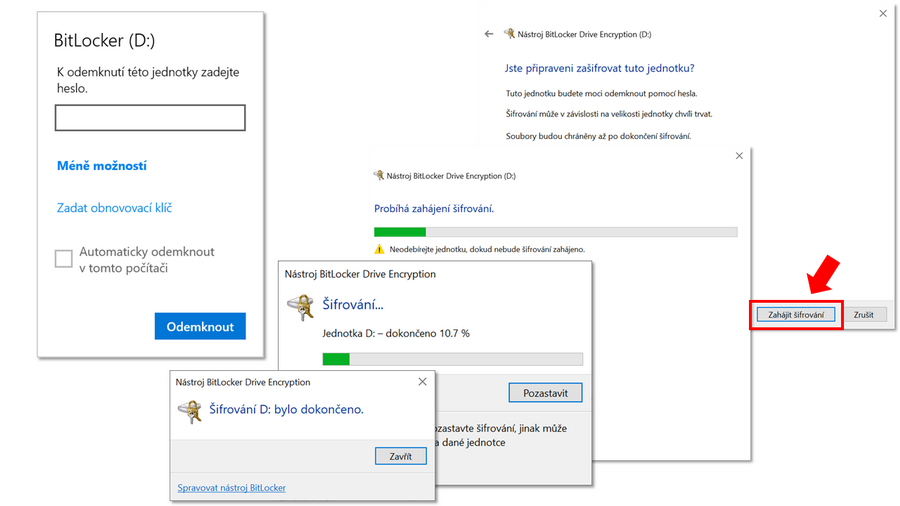
The illustration shows the BitLocker tool and USB flash drive encryption.
Pocket puller
| 1. Update | 2. Firewall | 3. Antivirus program | 4. Backup |
| Updates are important, as they help developers keep programs in good shape. This also applies to security. Updates can fix discovered security flaws. It is important not to delay them. | A firewall is a tool that monitors the security of a device. Its task is to check the requests that the device receives from the Internet and evaluate them according to specified security rules. | An antivirus program constantly monitors your device for any known malicious files. If such a file is found, it takes the necessary actions to protect your device. | As users, we can lose our data and files irretrievably. This is when continuous backups come in handy. This means that we save important files “somewhere else” at least from time to time. |